Setlists
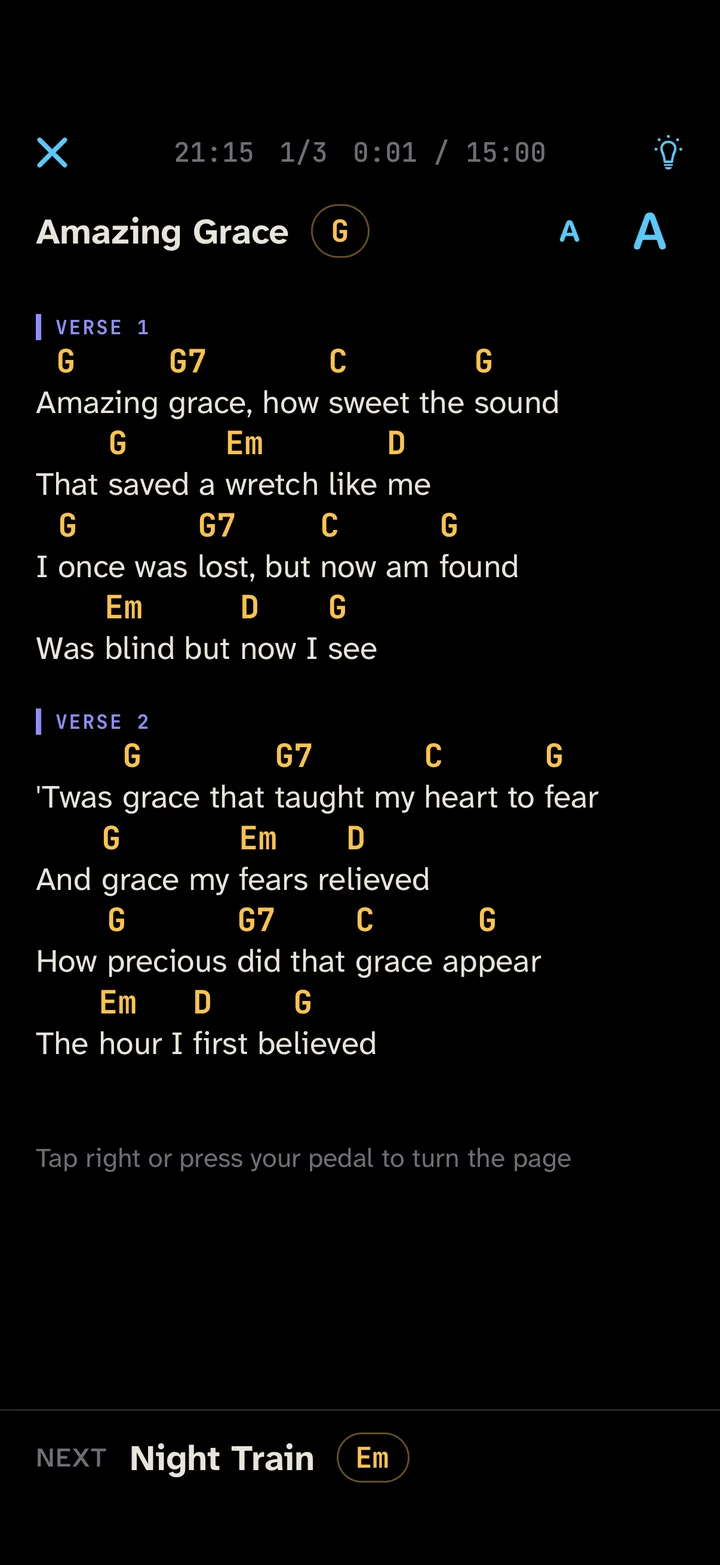
Your chord sheets and setlists on iPhone and iPad, one song per screen in large type. Check the set before you go on, turn pages with a Bluetooth pedal, and pick up where you were if the app was closed mid-song.
Not in the App Store yet
Write to info@sonua.io to hear when it launches.
When something goes wrong
The app closes mid-song
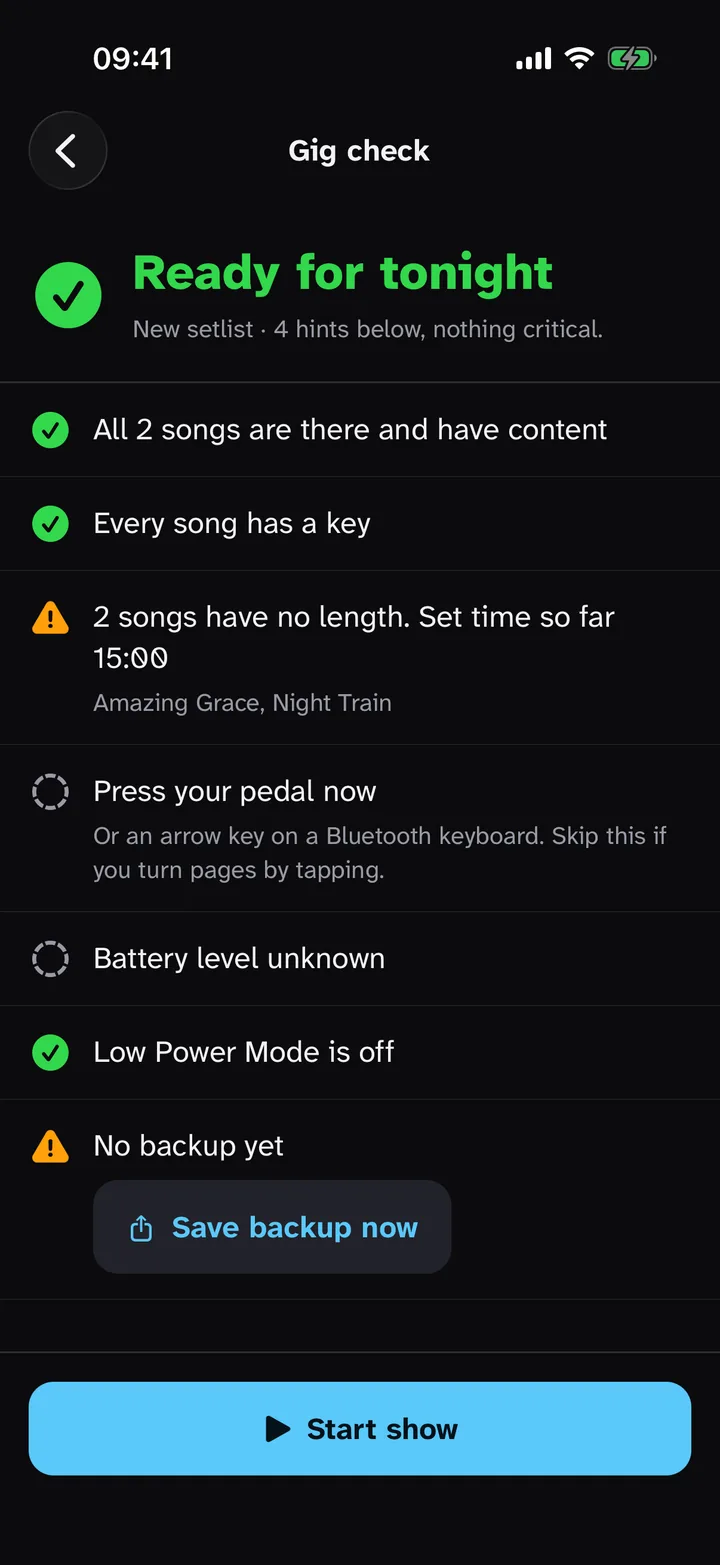
Setlists reopens on the song and page you were on. Before the show, the Gig-Check goes through the set and tells you what to fix.
There’s no signal at the venue
Reading, stage mode and export work without a purchase and without a connection. If you’ve paid and the App Store can’t be reached, Setlists stays unlocked with your last confirmed purchase.
You want to take your songs elsewhere
Export all your songs as ChordPro files at any time, even on the free version. ChordPro is a plain text format that other chord apps read too.
Your songs are already somewhere else
Paste a song from a chord website and Setlists separates the chords from the lyrics. ChordPro, text and Word (.docx) files import directly, and PDF charts stay as they are.
Gig night with Setlists
-
At home
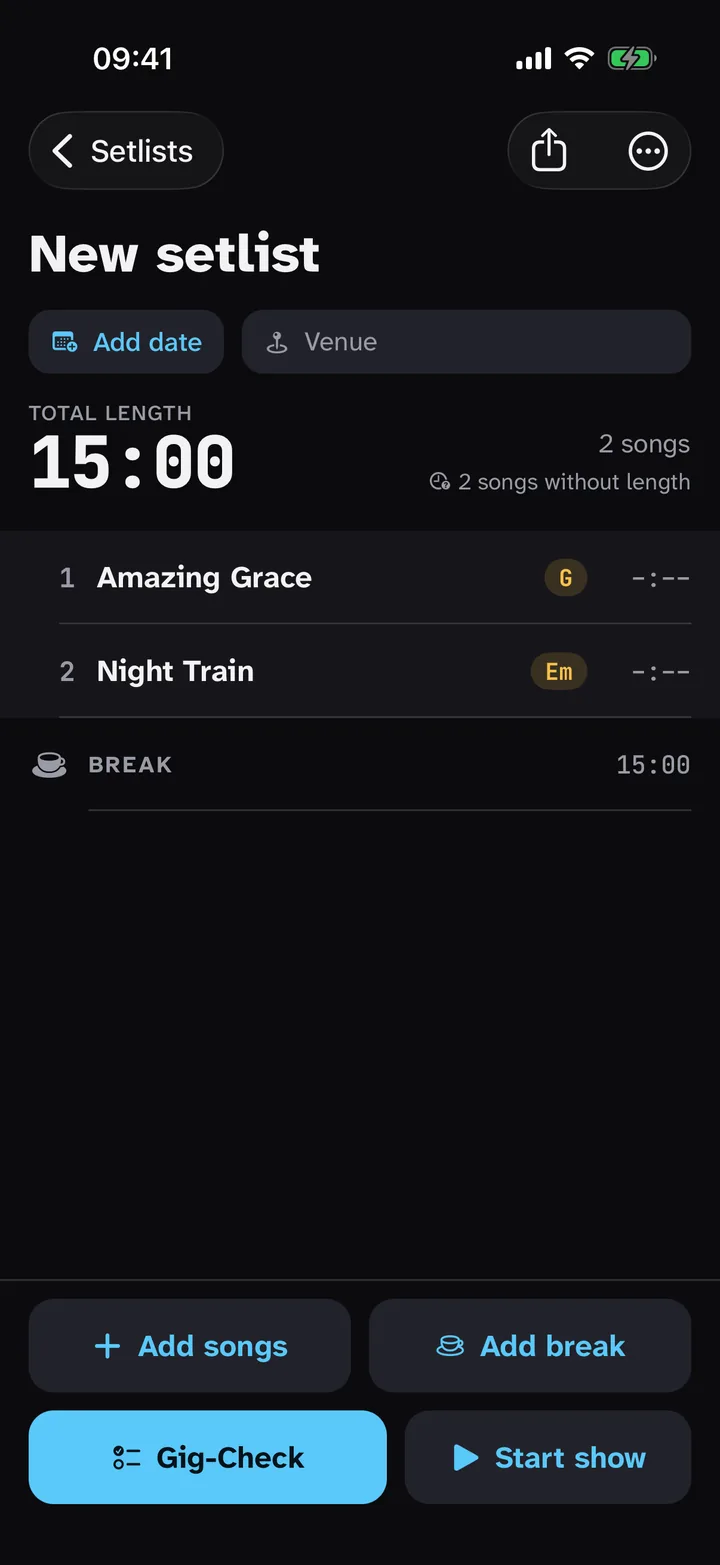
Put songs and breaks in order. Give each song a length and the set time adds up.
-
Before you go on
Run the Gig-Check. It looks for empty songs and missing keys, asks you to press the pedal once, and warns about a low battery, Low Power Mode and a missing backup.
-
On stage
One song per screen with key and capo at the top and the next song at the bottom. Turn pages with a tap or the pedal, or let it scroll if the song has a length.
-
In the break
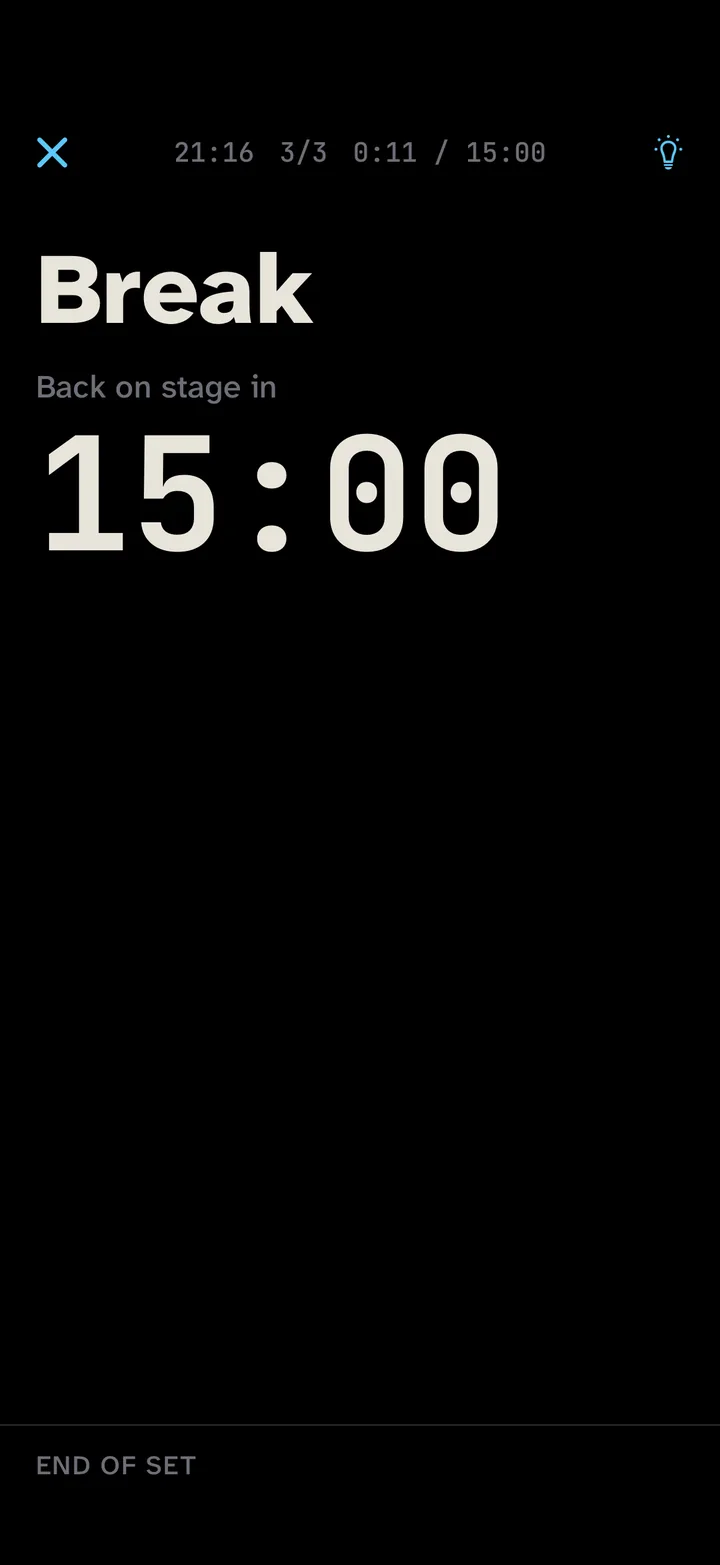
Give the break a length and a countdown shows when you’re back on. On a dark stage, switch to red light so the screen doesn’t glare.
Also in the app
Transpose
Move a song up or down by semitones for tonight’s singer. Capo shows next to the key.
PDF charts
Keep scanned or printed charts as PDFs and play them in stage mode next to your text songs.
iPhone and iPad
Edit a song on your iPhone and it’s on your iPad at rehearsal (iCloud Drive sync, paid version). The songs are ordinary files in a Setlists folder that you can open without the app.
Photo import
Import a photo of a printed chart from Files and Setlists turns it into text on your device. Check the chords afterwards.
Backup
One file with all songs and setlists. Keep it in Files or send it to yourself. If your last backup is more than a week old, the Gig-Check reminds you.
Text size
Make the text larger or smaller on stage until you can read it from where you stand. The app is in English and German.
Price Planned prices. They may change before launch.
Pay once. No subscription.
Renews each year until you cancel.
For the first 14 days everything is unlocked. After that, the free version keeps up to 10 songs in the library. Everything you need on stage stays free: reading, stage mode, the Gig-Check and export. So do transposing, editing and importing files. If you have more than 10 songs by then, you can still open, play and export all of them.
- With the paid version you also get:
- more than 10 songs in the library
- sync between iPhone and iPad through iCloud Drive
I’m coming from another app. How do I bring my songs?
Export them from your old app as ChordPro or text files and import them in one go. If that isn’t possible, copy a song and paste it. PDF charts can be added as they are.
Does it work without internet?
Yes. Your songs are on the device, and reading and stage mode don’t need a connection. iCloud Drive sync catches up the next time you open the app with a connection.
Which pedals work?
Bluetooth page turners that send arrow keys, Page Up/Down, Space or Enter, like a keyboard. The Gig-Check asks you to press the pedal once so you know before the show.
The app asks me to pay again.
Open the purchase screen in the app and tap “Restore purchases”. Use the Apple Account you paid with.
How do I cancel the yearly plan?
In the Settings app, tap your name, then Subscriptions, then Setlists. Apple handles billing. Refunds are requested from Apple at reportaproblem.apple.com.
How do I move my songs to a new device?
With the paid version and iCloud Drive sync turned on, your songs and setlists appear on any iPhone or iPad signed in to the same Apple Account. Without it, save a backup file in the app and import it on the new device.